Section 174: Capitalize Your Software Costs with Automatic Work Allocation

The Data-Driven Solution to Section 174's Documentation Challenge

The restoration of Section 174 creates a significant opportunity for US tech companies that meet the small-business revenue criteria (generally an average of under roughly $31M in gross receipts). 

These companies can retroactively claim refunds for R&D work performed in 2022–2024. 

But this opportunity comes with a practical challenge that most finance teams still haven’t solved: how do you document, in a defensible and detailed way, what your engineers worked on years ago?

Manual time tracking is unreliable. Retroactive reconstruction is guesswork. The IRS wants real data, not estimates. This is where automatic work allocation transforms an impossible documentation challenge into a tractable engineering problem.

Here's how it works, why it's the only reliable approach for Section 174 compliance, and how engineering leaders can implement it without disrupting their teams.

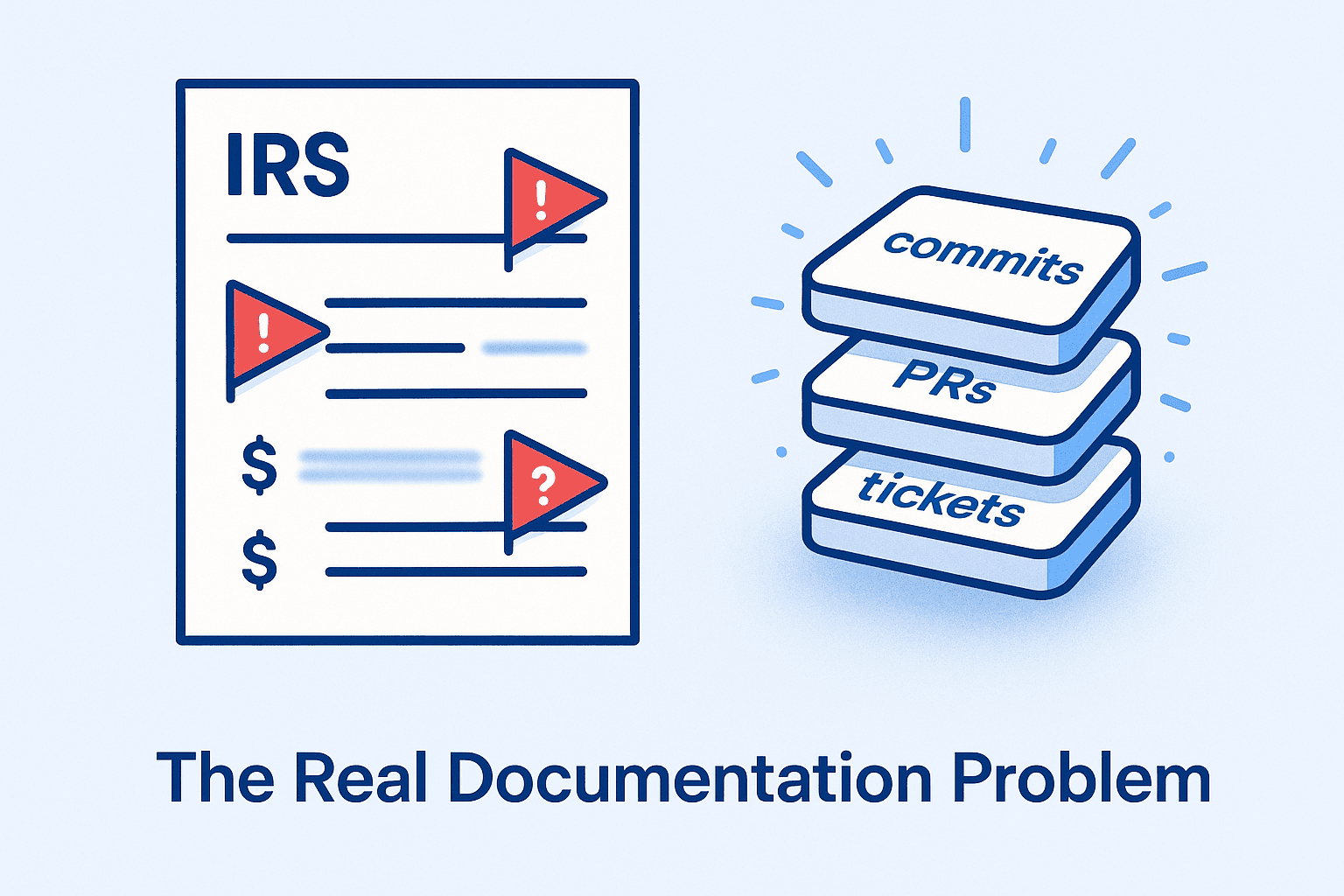
The Real Documentation Problem

To claim your Section 174 refund, you need detailed documentation showing:

  • Who: Specific engineers by name or identifier

  • What: Specific projects and technical work

  • When: Time periods and hour allocations

  • Why: Evidence of technical uncertainty and R&D qualification

  • Where: Geographic location (domestic vs. foreign)

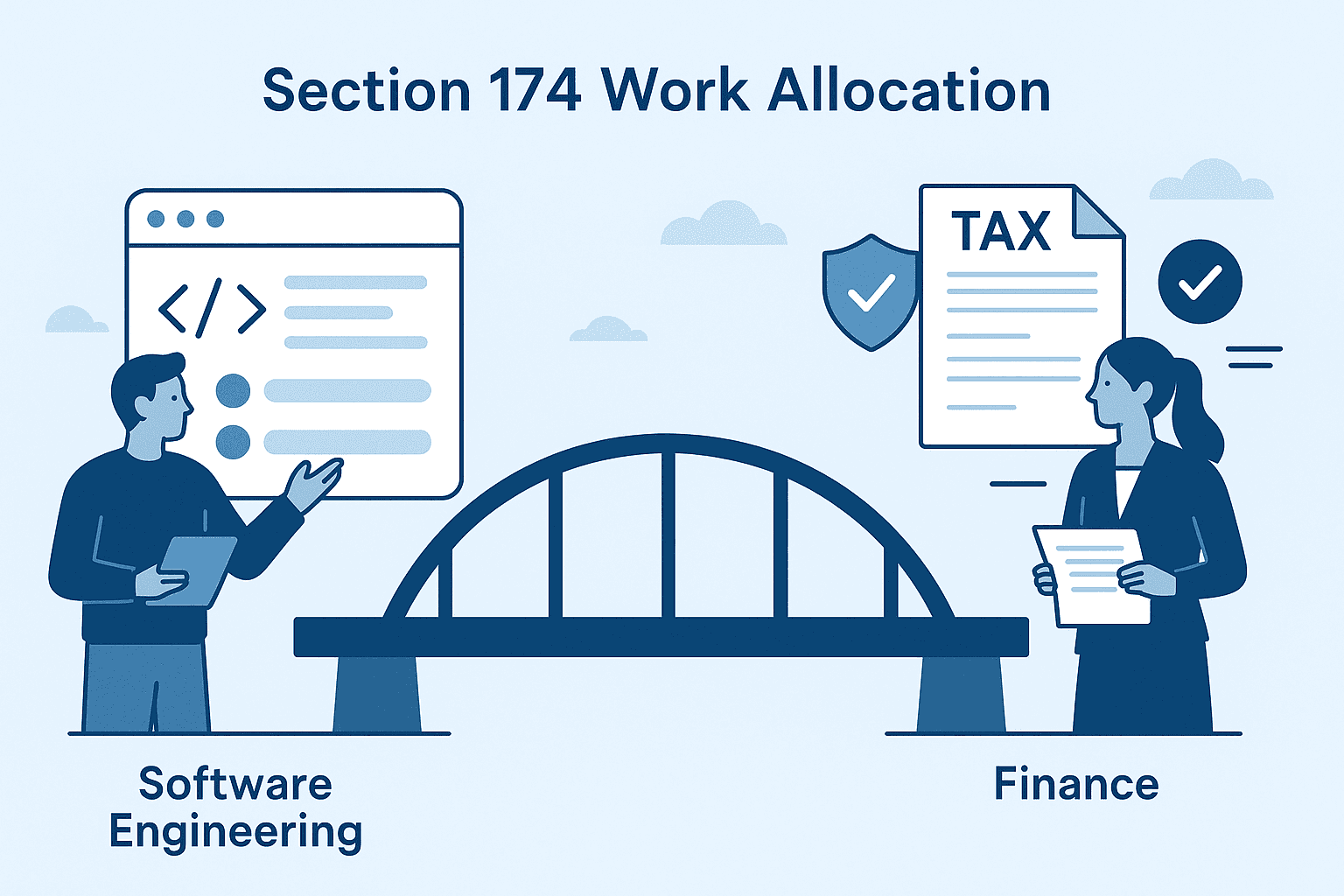
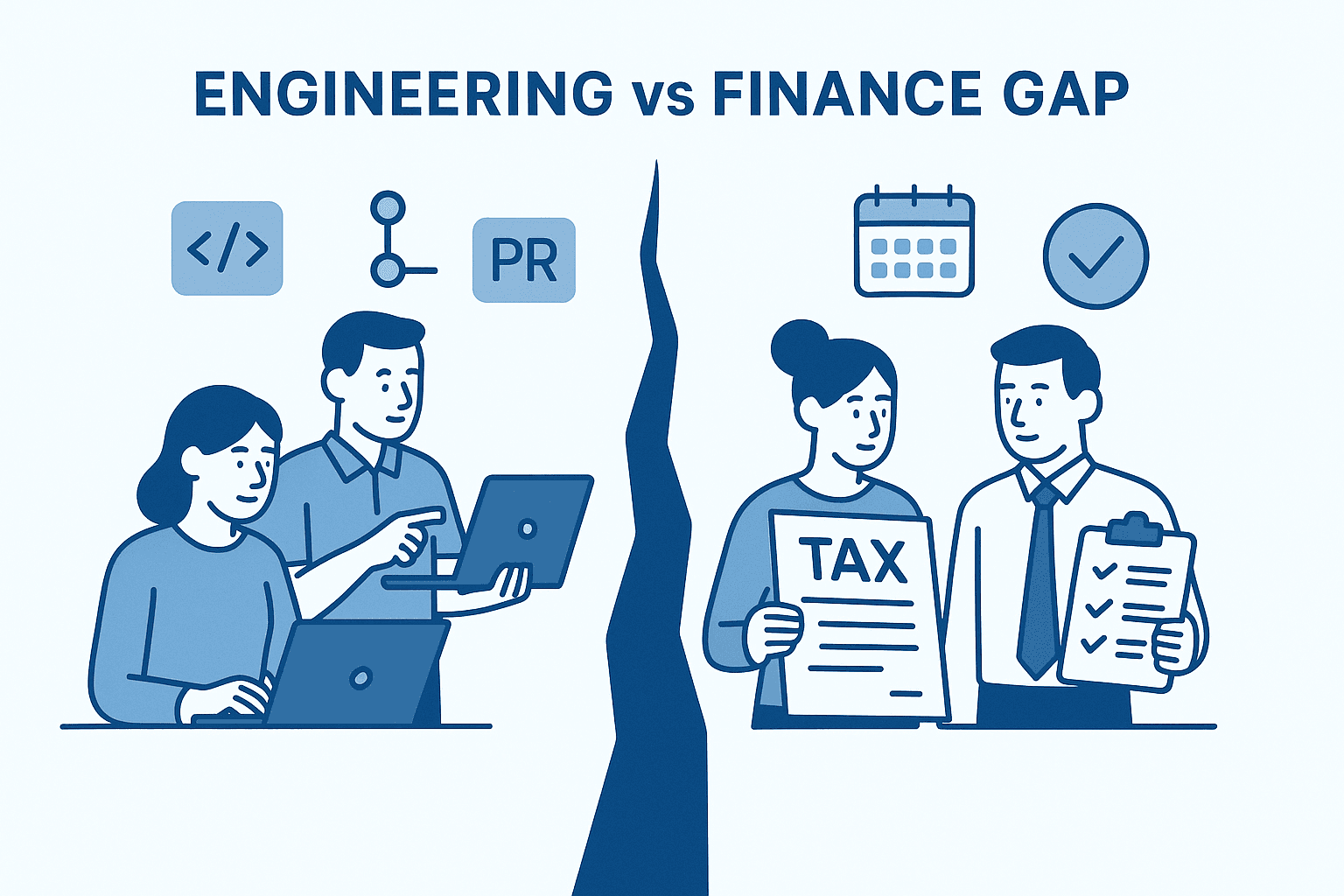
Your finance team needs this level of detail. Your engineering team doesn't naturally produce it. That's the gap where hundreds of thousands in potential refunds get lost.

What Finance Needs vs. What Engineering Produces

Finance needs: "450 engineering hours allocated to payment processing feature in Q2 2023, classified as qualifying R&D, performed by US-based engineers, documented by commit history"

Engineering produces: "We built the payment processing feature last year"

This translation problem is where most companies fail. Engineers don't think in "time allocation percentages" and "domestic vs. foreign attribution." They think in features and bug fixes.

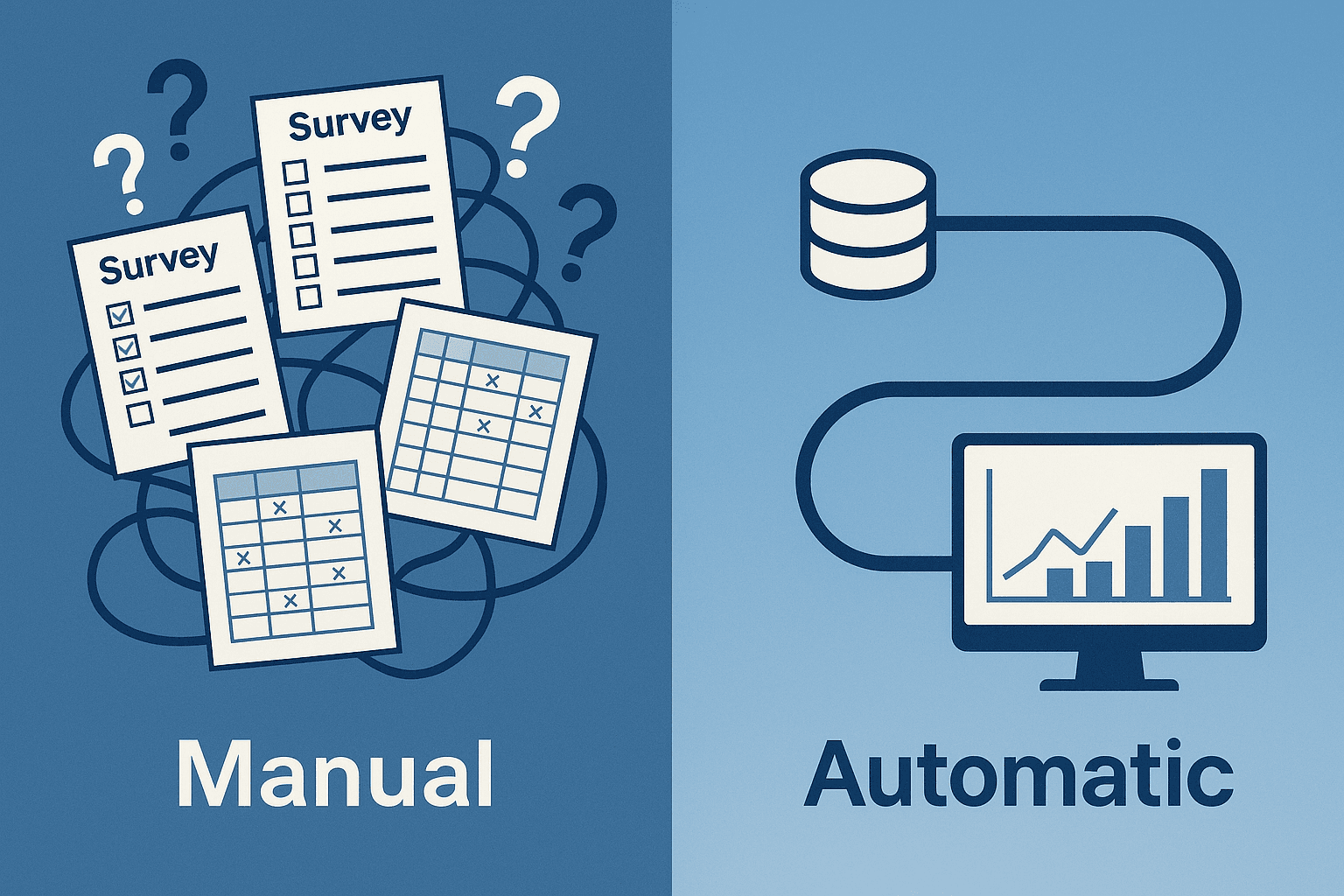
Why Manual Methods All Fail

Before explaining what works, let's understand why the obvious approaches don't work.

Surveys asking engineers what they worked on:

  • Memory is terrible for work done 2-3 years ago

  • Engineers who left can't respond (with 15-20% annual turnover, 45% of your 2022 team is gone)

  • Selective memory emphasizes exciting projects, forgets routine work

  • Responses are unverifiable estimates, not contemporaneous evidence

  • Response rates of 40-60% create massive gaps

Project management tools (Jira, Linear):

  • Show deliverables, not effort (a 2-point story could be 5 or 50 hours)

  • Cover only 60% of actual work (investigations, refactoring, and operational tasks often aren't ticketed)

  • Lack geographic attribution

  • Can't determine R&D qualification without understanding technical context

Manual commit review:

  • Volume makes it impossible (20,000+ commits for mid-sized team)

  • Commit messages vary from excellent to cryptic ("fix bug")

  • Individual commits lack context about the full body of work

  • No time metadata (can't determine hours from commits alone)

One CFO spent 300+ hours attempting manual documentation. Result: coverage of less than 50% of work, documentation their tax advisor called "not audit-ready," and $600K left unclaimed.

The economics don't work. The quality doesn't work. Manual approaches are fundamentally flawed.

How Automatic Work Allocation Actually Works

The solution: analyze digital artifacts your team created while working, even if nobody was consciously creating "Section 174 documentation."

Every code commit, pull request, ticket update, and calendar event is data. That data exists today in your systems. Automatic work allocation reconstructs what happened by analyzing this contemporaneous evidence.

The Data Sources

Modern engineering intelligence platforms connect to tools your team already uses:

Code Repositories

  • GitHub, GitLab, Bitbucket

  • Commit history with timestamps, authors, and changes

  • Pull requests with descriptions, reviews, and discussions

  • Branch patterns showing experimental work

Project Management

  • Jira, Linear, GitHub Issues

  • Tickets showing deliverables and timelines

  • Epics connecting related work

  • Comments and status changes

Communication & Documentation

  • Slack conversations about technical decisions

  • Notion and Confluence documentation

  • Meeting notes and design docs

Calendar & Collaboration

  • Google Calendar showing meeting patterns

  • Team collaboration patterns

  • Time zone information for geographic attribution

The Analysis Process

Here is how platforms like Pensero transform raw engineering data into reports your finance and tax teams can use for Section 174 and potential audits.
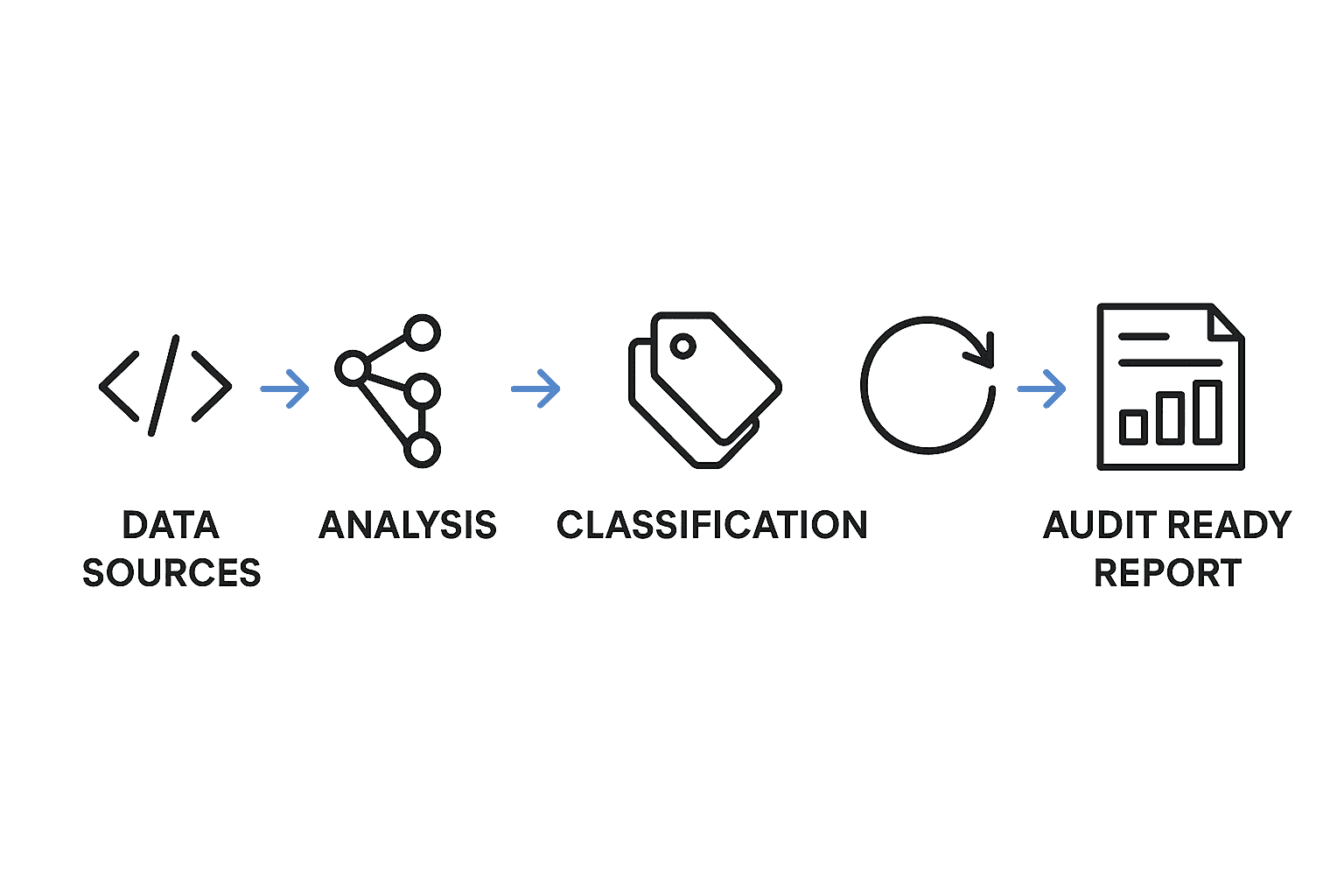

Step 1: Data integration

Connect Pensero to your core engineering systems. For most teams this initial setup takes about 30 minutes. The platform needs read only access to:

  • Code repositories (to analyze commits and pull requests)


  • Issue trackers where work is linked to code (for example GitHub Issues)


Engineer locations are configured inside the platform rather than inferred.

Step 2: Historical analysis

Pensero analyzes your 2022–2024 data and reconstructs what happened:

  • Parses commit history to understand who worked on what and when


  • Analyzes pull request patterns, review cycles, and collaboration


  • Correlates PRs with linked issues or repositories to infer project or feature level context


  • Applies your configured locations to each engineer for domestic versus foreign attribution


Step 3: Work attribution

Instead of trying to guess exact hours, Pensero estimates how each engineer’s productivity is allocated across initiatives. It treats productivity as a proxy for investment, since not every hour has the same impact.

This includes:

  • Productivity distribution per engineer and per project or feature


  • Relative contribution across initiatives


  • Productivity or value added distributed across key R&D and non R&D buckets


Example output:

“Engineer A: 120 pull requests to the payment feature in Q1–Q3 2022, estimated 420 hours based on Productivity Score, US location verified.”

Step 4: R&D classification

Machine learning models analyze code changes and associated context to assign each body of work into one of four categories:

  • New feature (R&D)


  • Product improvement


  • Operations (KTLO)


  • Backoffice


Work that clearly falls into New feature is treated as R&D. Operations and Backoffice are treated as non qualifying. Product improvement and more complex cases are highlighted so your team and tax advisor can review them explicitly.

In practice, automatic classification reaches around 80 percent accuracy. The remaining edge cases are surfaced for human review and adjustment.

Step 5: Report generation

Finally, Pensero produces structured audit friendly reports that your finance and tax partners can plug into their Section 174 workflow, including:

  • Narrative summaries that explain what was built and why

  • Allocation of productivity by engineer, project, and R&D category

  • Supporting evidence based on commits, pull requests, and issues

  • Domestic versus foreign attribution based on configured locations


These reports give your tax advisor a defensible, data driven foundation for amended returns and any future IRS questions without forcing engineers to fill out timesheets retroactively.

Pensero's Approach to Automatic Work Allocation

Pensero was built specifically to solve this problem, turning engineering data into business intelligence that serves multiple purposes, including Section 174 compliance.

Why Pensero Works for Section 174

Comprehensive Integration: Pensero connects to GitHub, GitLab, Bitbucket, Jira, Linear, GitHub Issues, Slack, Notion, Confluence, Google Calendar, Cursor, and Claude Code. This breadth ensures complete coverage of engineering work, not just what's in Git, but the full context from project management and collaboration tools.

Retroactive Capability: The critical advantage: Pensero can analyze historical data from before you started using the platform. Your 2022-2024 commits, PRs, and tickets are still in your systems. Pensero analyzes this existing data to produce the documentation you need now.

This retroactive capability is essential for Section 174. You can't go back in time to implement tracking, but you can analyze artifacts that were created during the work.

Executive Summaries That Finance Can Act On

Raw engineering data is difficult for CFOs and tax advisors to interpret on its own. While Pensero provides the underlying evidence — structured work attribution, R&D classifications, and supporting artifacts — many companies also need help turning that data into a clear narrative for their tax advisors.

Pensero can work with your CTO and CFO to craft these summaries as an additional service, using the platform’s analysis as the factual foundation.

For example, instead of leaving finance with raw metrics like:
“2,847 commits across 127 PRs in 18 repositories”

Pensero can help your leadership translate the underlying work into an audit ready narrative such as:

“The engineering team spent Q2 2023 rebuilding the payment processing system to address scalability constraints.

The work involved meaningful technical uncertainty around achieving sub second transaction times under 10x expected load.

The team evaluated multiple database architectures before selecting the hybrid approach that ultimately shipped. This qualifies as R&D under Section 174 due to the technical uncertainty and experimentation involved.”

These summaries are based on the data Pensero generates automatically, with expert guidance available to ensure the final narrative is clear, defensible, and aligned with Section 174 expectations.

This is what tax advisors need to present to the IRS.

Built by Engineers Who Understand Engineering: The Pensero team has over 20 years of average experience in tech. They understand:

  • The difference between a trivial commit and an architectural change

  • Why a three-line fix might represent days of investigation

  • How to recognize genuine R&D vs. routine maintenance

  • The nuances that determine whether work qualifies

This expertise is encoded in the platform's analysis algorithms.

Real Companies Using Pensero

  • Travelperk: Travel management platform

  • Elfie.co: AI-powered assistant

  • Caravelo: Travel technology solutions

These engineering leaders trust Pensero for visibility into their teams' work—including Section 174 documentation.

Pricing Designed for Growing Teams

Free Tier: Designed for small teams to explore Pensero’s core capabilities and understand how automatic work allocation functions at a high level. It’s a simple way to see how the platform analyzes engineering activity before evaluating the full set of features required for Section 174 documentation.

Premium: $600/year Comprehensive features including historical analysis, Executive Summaries, and full integration suite. Typical ROI: claim $500K+ in refunds using $600/year tool.

Enterprise: Custom pricing For larger organizations with advanced compliance requirements, custom integrations, and dedicated support.

Implementation: From Zero to IRS-Ready Documentation

Here's the practical path from "we need Section 174 documentation" to "we've filed our amended returns."

Week 1: Setup and Integration

Day 1-2: Platform Setup

  • Create Pensero account

  • Grant read-only access to repositories

  • Connect project management tools

  • Configure team structure and locations

Day 3-5: Initial Analysis

  • Platform analyzes historical data (2022-2024)

  • Review preliminary dashboards

  • Verify engineer locations for geographic attribution

  • Confirm date ranges align with tax years

Week 2-3: Data Validation and Refinement

Review Automated Classifications The platform categorizes work as R&D vs. operational. Review:

  • Are major features correctly identified as R&D?

  • Is operational work properly excluded?

  • Are edge cases flagged for manual review?

Refine Geographic Attribution Verify engineer locations:

  • US-based employees: domestic R&D

  • Overseas contractors: foreign R&D (15-year amortization)

  • Remote workers: verify location during work period

Validate Time Allocations Check whether commit-based time estimates align with your understanding:

  • Do project timelines make sense?

  • Are quiet periods (holidays, company offsites) reflected?

  • Do individual allocations match role expectations?

Week 4: Generate Documentation

Create audit-ready documentation

Pensero produces the structured analysis your finance team and tax advisors can use as the foundation for Section 174 filings. 

This includes:

  • Work summaries that synthesize engineering activity over the selected period (quarterly or annual summaries can be prepared with Pensero’s support, but are not generated automatically out of the box)

  • Productivity-based allocation by engineer and initiative, showing how work was distributed across R&D, product improvement, operations, and backoffice categories

  • R&D classification with the evidence required to justify how work was categorized

  • Domestic vs. foreign attribution, based on your configured engineer locations

  • Technical documentation derived from commits, pull requests, and linked issues that provides traceable evidence of engineering activity

Review with Finance Team Your CFO reviews documentation for:

  • Completeness (all major projects covered)

  • Clarity (can they explain it to tax advisor)

  • Defensibility (will it withstand audit)

Week 5-6: Tax Advisor Collaboration

Share Documentation Package Provide your tax advisor with:

  • Complete work allocation reports

  • Executive summaries explaining technical work

  • Supporting evidence (commit data, PR descriptions)

  • Geographic attribution verification

  • Your calculated refund estimate

Tax Advisor Review They verify:

  • Documentation quality meets IRS standards

  • R&D classification is defensible

  • Time allocation methodology is sound

  • Geographic attribution is properly supported

Refund Calculation Your tax advisor calculates precise refund amounts based on:

  • Your actual tax payments in 2022-2024

  • Documented R&D expenses

  • Applicable tax rates

  • State-specific considerations

Week 7-8: Filing Amended Returns

Prepare Amended Returns Tax advisor prepares Form 1120X for each year:

  • 2022: First priority (earliest deadline)

  • 2023: Second priority

  • 2024: Can wait if needed (latest deadline)

Review and File

  • Final review of amended returns

  • Electronic filing with IRS

  • Documentation retained for audit defense

Track Refund Status

  • IRS processes amended returns in 12-16 weeks

  • Track status through IRS online tools

  • Refunds direct-deposited to business account

Beyond Section 174: Long-Term Value

The beauty of automatic work allocation is that it solves Section 174 and delivers ongoing benefits:

Resource Planning Understand where engineering time actually goes. Which projects consume resources? Where do estimations consistently miss? Make data-driven decisions about resource allocation.

Productivity Insights Identify patterns:

  • Which work types generate most value?

  • Where do bottlenecks emerge?

  • How does team composition affect velocity?

Better Estimates Historical data improves future planning. When similar work took 200 hours last time, your estimate has foundation in reality.

Continuous Compliance Section 174 compliance becomes automatic. No scrambling at tax season, documentation is always current.

Zero Developer Overhead Unlike time-tracking, automatic work allocation requires nothing from engineers. They work normally; the platform documents automatically.

Real Numbers: What This Actually Costs vs. Returns

Investment in Pensero:

Setup time: ~30 minutes

Access to two years of historical data requires a one year premium subscription: $600 per engineer

Total cost depends on team size, but even at this rate, the ROI compared to typical Section 174 refunds remains exceptionally high

Return for 15-Engineer Startup:

  • R&D expense: $2.25M annually (15 × $150K)

  • 75% qualifying: $1.69M annually

  • 3-year total: $5.06M

  • Tax overpayment at 21%: ~$850K refund

ROI: $850K refund for a $9,000 investment = ~94x return

Even accounting for tax advisor fees ($5K–$15K typically), the ROI remains extraordinary, and those fees are required regardless for the rest of the Section 174 submission.

The Window Is Closing

Critical deadlines:

  • 2022 returns: Must amend by April 2026 (14 weeks away)

  • 2023 returns: Must amend by April 2027

  • 2024 returns: Must amend by April 2028

With 3–6 months typically required for documentation and filing, the real window for 2022 is already extremely tight. Companies that wait until 2026 will struggle to complete the process before the deadline.

The opportunity is time-bound. Acting early is essential.

Your Action Plan

This Week:

  1. Calculate 3-year average revenue to confirm qualification

  2. Set up Pensero free tier to validate the approach

  3. Review preliminary analysis of your historical data

Next Week:

  1. Validate engineer locations for geographic attribution

  2. Review automated R&D classification

  3. Generate preliminary documentation package

Within 30 Days:

  1. Complete documentation for 2022-2024

  2. Share with your tax advisor

  3. Begin amended return preparation

Within 90 Days:

  1. File amended returns for all qualifying years

  2. Track refund status

  3. Implement ongoing automatic tracking for future compliance

The money is real. The documentation challenge is solvable. The question is whether you'll implement the right tools before the window closes.

Frequently Asked Questions

Do we need to pause current work to implement this?

No. Setup takes 2-3 hours. After that, the platform works in the background analyzing historical data while your team continues normal work.

What if our commit messages are sparse?

The platform uses multiple data sources, commits, PRs, tickets, project context. Even cryptic commit messages ("fix bug") gain context when analyzed alongside PR descriptions and linked tickets.

How do we handle engineers who left?

Their commits and PRs remain in your repositories. The platform documents their contributions even though they're gone—solving the survivorship bias problem that ruins manual approaches.

Can we exclude certain repositories or periods?

Yes. You have full control over what's analyzed. Exclude personal projects, archived repos, or specific time periods as needed.

What if we changed tools mid-period?

(Migrated from Jira to Linear, changed Git hosting, etc.) The platform connects to current systems and analyzes whatever historical data remains accessible. Some gaps are expected; the key is documenting what you can with high quality.

How do we verify the platform's R&D classifications?

Review the categorizations with your engineering and finance teams. The platform highlights edge cases for manual review. You have final control over all classifications.

The restoration of Section 174 creates a significant opportunity for US tech companies that meet the small-business revenue criteria (generally an average of under roughly $31M in gross receipts). 

These companies can retroactively claim refunds for R&D work performed in 2022–2024. 

But this opportunity comes with a practical challenge that most finance teams still haven’t solved: how do you document, in a defensible and detailed way, what your engineers worked on years ago?

Manual time tracking is unreliable. Retroactive reconstruction is guesswork. The IRS wants real data, not estimates. This is where automatic work allocation transforms an impossible documentation challenge into a tractable engineering problem.

Here's how it works, why it's the only reliable approach for Section 174 compliance, and how engineering leaders can implement it without disrupting their teams.


The Real Documentation Problem

To claim your Section 174 refund, you need detailed documentation showing:

  • Who: Specific engineers by name or identifier

  • What: Specific projects and technical work

  • When: Time periods and hour allocations

  • Why: Evidence of technical uncertainty and R&D qualification

  • Where: Geographic location (domestic vs. foreign)

Your finance team needs this level of detail. Your engineering team doesn't naturally produce it. That's the gap where hundreds of thousands in potential refunds get lost.

What Finance Needs vs. What Engineering Produces

Finance needs: "450 engineering hours allocated to payment processing feature in Q2 2023, classified as qualifying R&D, performed by US-based engineers, documented by commit history"

Engineering produces: "We built the payment processing feature last year"

This translation problem is where most companies fail. Engineers don't think in "time allocation percentages" and "domestic vs. foreign attribution." They think in features and bug fixes.

Why Manual Methods All Fail

Before explaining what works, let's understand why the obvious approaches don't work.

Surveys asking engineers what they worked on:

  • Memory is terrible for work done 2-3 years ago

  • Engineers who left can't respond (with 15-20% annual turnover, 45% of your 2022 team is gone)

  • Selective memory emphasizes exciting projects, forgets routine work

  • Responses are unverifiable estimates, not contemporaneous evidence

  • Response rates of 40-60% create massive gaps

Project management tools (Jira, Linear):

  • Show deliverables, not effort (a 2-point story could be 5 or 50 hours)

  • Cover only 60% of actual work (investigations, refactoring, and operational tasks often aren't ticketed)

  • Lack geographic attribution

  • Can't determine R&D qualification without understanding technical context

Manual commit review:

  • Volume makes it impossible (20,000+ commits for mid-sized team)

  • Commit messages vary from excellent to cryptic ("fix bug")

  • Individual commits lack context about the full body of work

  • No time metadata (can't determine hours from commits alone)

One CFO spent 300+ hours attempting manual documentation. Result: coverage of less than 50% of work, documentation their tax advisor called "not audit-ready," and $600K left unclaimed.

The economics don't work. The quality doesn't work. Manual approaches are fundamentally flawed.

How Automatic Work Allocation Actually Works

The solution: analyze digital artifacts your team created while working, even if nobody was consciously creating "Section 174 documentation."

Every code commit, pull request, ticket update, and calendar event is data. That data exists today in your systems. Automatic work allocation reconstructs what happened by analyzing this contemporaneous evidence.


The Data Sources

Modern engineering intelligence platforms connect to tools your team already uses:

Code Repositories

  • GitHub, GitLab, Bitbucket

  • Commit history with timestamps, authors, and changes

  • Pull requests with descriptions, reviews, and discussions

  • Branch patterns showing experimental work

Project Management

  • Jira, Linear, GitHub Issues

  • Tickets showing deliverables and timelines

  • Epics connecting related work

  • Comments and status changes

Communication & Documentation

  • Slack conversations about technical decisions

  • Notion and Confluence documentation

  • Meeting notes and design docs

Calendar & Collaboration

  • Google Calendar showing meeting patterns

  • Team collaboration patterns

  • Time zone information for geographic attribution

The Analysis Process

Here is how platforms like Pensero transform raw engineering data into reports your finance and tax teams can use for Section 174 and potential audits.


Step 1: Data integration

Connect Pensero to your core engineering systems. For most teams this initial setup takes about 30 minutes. The platform needs read only access to:

  • Code repositories (to analyze commits and pull requests)


  • Issue trackers where work is linked to code (for example GitHub Issues)


Engineer locations are configured inside the platform rather than inferred.

Step 2: Historical analysis

Pensero analyzes your 2022–2024 data and reconstructs what happened:

  • Parses commit history to understand who worked on what and when


  • Analyzes pull request patterns, review cycles, and collaboration


  • Correlates PRs with linked issues or repositories to infer project or feature level context


  • Applies your configured locations to each engineer for domestic versus foreign attribution


Step 3: Work attribution

Instead of trying to guess exact hours, Pensero estimates how each engineer’s productivity is allocated across initiatives. It treats productivity as a proxy for investment, since not every hour has the same impact.

This includes:

  • Productivity distribution per engineer and per project or feature


  • Relative contribution across initiatives


  • Productivity or value added distributed across key R&D and non R&D buckets


Example output:

“Engineer A: 120 pull requests to the payment feature in Q1–Q3 2022, estimated 420 hours based on Productivity Score, US location verified.”

Step 4: R&D classification

Machine learning models analyze code changes and associated context to assign each body of work into one of four categories:

  • New feature (R&D)


  • Product improvement


  • Operations (KTLO)


  • Backoffice


Work that clearly falls into New feature is treated as R&D. Operations and Backoffice are treated as non qualifying. Product improvement and more complex cases are highlighted so your team and tax advisor can review them explicitly.

In practice, automatic classification reaches around 80 percent accuracy. The remaining edge cases are surfaced for human review and adjustment.

Step 5: Report generation

Finally, Pensero produces structured audit friendly reports that your finance and tax partners can plug into their Section 174 workflow, including:

  • Narrative summaries that explain what was built and why

  • Allocation of productivity by engineer, project, and R&D category

  • Supporting evidence based on commits, pull requests, and issues

  • Domestic versus foreign attribution based on configured locations


These reports give your tax advisor a defensible, data driven foundation for amended returns and any future IRS questions without forcing engineers to fill out timesheets retroactively.

Pensero's Approach to Automatic Work Allocation

Pensero was built specifically to solve this problem, turning engineering data into business intelligence that serves multiple purposes, including Section 174 compliance.

Why Pensero Works for Section 174

Comprehensive Integration: Pensero connects to GitHub, GitLab, Bitbucket, Jira, Linear, GitHub Issues, Slack, Notion, Confluence, Google Calendar, Cursor, and Claude Code. This breadth ensures complete coverage of engineering work, not just what's in Git, but the full context from project management and collaboration tools.

Retroactive Capability: The critical advantage: Pensero can analyze historical data from before you started using the platform. Your 2022-2024 commits, PRs, and tickets are still in your systems. Pensero analyzes this existing data to produce the documentation you need now.

This retroactive capability is essential for Section 174. You can't go back in time to implement tracking, but you can analyze artifacts that were created during the work.

Executive Summaries That Finance Can Act On

Raw engineering data is difficult for CFOs and tax advisors to interpret on its own. While Pensero provides the underlying evidence — structured work attribution, R&D classifications, and supporting artifacts — many companies also need help turning that data into a clear narrative for their tax advisors.

Pensero can work with your CTO and CFO to craft these summaries as an additional service, using the platform’s analysis as the factual foundation.

For example, instead of leaving finance with raw metrics like:
“2,847 commits across 127 PRs in 18 repositories”

Pensero can help your leadership translate the underlying work into an audit ready narrative such as:

“The engineering team spent Q2 2023 rebuilding the payment processing system to address scalability constraints.

The work involved meaningful technical uncertainty around achieving sub second transaction times under 10x expected load.

The team evaluated multiple database architectures before selecting the hybrid approach that ultimately shipped. This qualifies as R&D under Section 174 due to the technical uncertainty and experimentation involved.”

These summaries are based on the data Pensero generates automatically, with expert guidance available to ensure the final narrative is clear, defensible, and aligned with Section 174 expectations.

This is what tax advisors need to present to the IRS.

Built by Engineers Who Understand Engineering: The Pensero team has over 20 years of average experience in tech. They understand:

  • The difference between a trivial commit and an architectural change

  • Why a three-line fix might represent days of investigation

  • How to recognize genuine R&D vs. routine maintenance

  • The nuances that determine whether work qualifies

This expertise is encoded in the platform's analysis algorithms.

Real Companies Using Pensero

  • Travelperk: Travel management platform

  • Elfie.co: AI-powered assistant

  • Caravelo: Travel technology solutions

These engineering leaders trust Pensero for visibility into their teams' work—including Section 174 documentation.

Pricing Designed for Growing Teams

Free Tier: Designed for small teams to explore Pensero’s core capabilities and understand how automatic work allocation functions at a high level. It’s a simple way to see how the platform analyzes engineering activity before evaluating the full set of features required for Section 174 documentation.

Premium: $600/year Comprehensive features including historical analysis, Executive Summaries, and full integration suite. Typical ROI: claim $500K+ in refunds using $600/year tool.

Enterprise: Custom pricing For larger organizations with advanced compliance requirements, custom integrations, and dedicated support.

Implementation: From Zero to IRS-Ready Documentation


Here's the practical path from "we need Section 174 documentation" to "we've filed our amended returns."

Week 1: Setup and Integration

Day 1-2: Platform Setup

  • Create Pensero account

  • Grant read-only access to repositories

  • Connect project management tools

  • Configure team structure and locations

Day 3-5: Initial Analysis

  • Platform analyzes historical data (2022-2024)

  • Review preliminary dashboards

  • Verify engineer locations for geographic attribution

  • Confirm date ranges align with tax years

Week 2-3: Data Validation and Refinement

Review Automated Classifications The platform categorizes work as R&D vs. operational. Review:

  • Are major features correctly identified as R&D?

  • Is operational work properly excluded?

  • Are edge cases flagged for manual review?

Refine Geographic Attribution Verify engineer locations:

  • US-based employees: domestic R&D

  • Overseas contractors: foreign R&D (15-year amortization)

  • Remote workers: verify location during work period

Validate Time Allocations Check whether commit-based time estimates align with your understanding:

  • Do project timelines make sense?

  • Are quiet periods (holidays, company offsites) reflected?

  • Do individual allocations match role expectations?

Week 4: Generate Documentation

Create audit-ready documentation

Pensero produces the structured analysis your finance team and tax advisors can use as the foundation for Section 174 filings. 

This includes:

  • Work summaries that synthesize engineering activity over the selected period (quarterly or annual summaries can be prepared with Pensero’s support, but are not generated automatically out of the box)

  • Productivity-based allocation by engineer and initiative, showing how work was distributed across R&D, product improvement, operations, and backoffice categories

  • R&D classification with the evidence required to justify how work was categorized

  • Domestic vs. foreign attribution, based on your configured engineer locations

  • Technical documentation derived from commits, pull requests, and linked issues that provides traceable evidence of engineering activity

Review with Finance Team Your CFO reviews documentation for:

  • Completeness (all major projects covered)

  • Clarity (can they explain it to tax advisor)

  • Defensibility (will it withstand audit)

Week 5-6: Tax Advisor Collaboration

Share Documentation Package Provide your tax advisor with:

  • Complete work allocation reports

  • Executive summaries explaining technical work

  • Supporting evidence (commit data, PR descriptions)

  • Geographic attribution verification

  • Your calculated refund estimate

Tax Advisor Review They verify:

  • Documentation quality meets IRS standards

  • R&D classification is defensible

  • Time allocation methodology is sound

  • Geographic attribution is properly supported

Refund Calculation Your tax advisor calculates precise refund amounts based on:

  • Your actual tax payments in 2022-2024

  • Documented R&D expenses

  • Applicable tax rates

  • State-specific considerations

Week 7-8: Filing Amended Returns

Prepare Amended Returns Tax advisor prepares Form 1120X for each year:

  • 2022: First priority (earliest deadline)

  • 2023: Second priority

  • 2024: Can wait if needed (latest deadline)

Review and File

  • Final review of amended returns

  • Electronic filing with IRS

  • Documentation retained for audit defense

Track Refund Status

  • IRS processes amended returns in 12-16 weeks

  • Track status through IRS online tools

  • Refunds direct-deposited to business account


Beyond Section 174: Long-Term Value

The beauty of automatic work allocation is that it solves Section 174 and delivers ongoing benefits:

Resource Planning Understand where engineering time actually goes. Which projects consume resources? Where do estimations consistently miss? Make data-driven decisions about resource allocation.

Productivity Insights Identify patterns:

  • Which work types generate most value?

  • Where do bottlenecks emerge?

  • How does team composition affect velocity?

Better Estimates Historical data improves future planning. When similar work took 200 hours last time, your estimate has foundation in reality.

Continuous Compliance Section 174 compliance becomes automatic. No scrambling at tax season, documentation is always current.

Zero Developer Overhead Unlike time-tracking, automatic work allocation requires nothing from engineers. They work normally; the platform documents automatically.

Real Numbers: What This Actually Costs vs. Returns

Investment in Pensero:

Setup time: ~30 minutes

Access to two years of historical data requires a one year premium subscription: $600 per engineer

Total cost depends on team size, but even at this rate, the ROI compared to typical Section 174 refunds remains exceptionally high

Return for 15-Engineer Startup:

  • R&D expense: $2.25M annually (15 × $150K)

  • 75% qualifying: $1.69M annually

  • 3-year total: $5.06M

  • Tax overpayment at 21%: ~$850K refund

ROI: $850K refund for a $9,000 investment = ~94x return

Even accounting for tax advisor fees ($5K–$15K typically), the ROI remains extraordinary, and those fees are required regardless for the rest of the Section 174 submission.

The Window Is Closing

Critical deadlines:

  • 2022 returns: Must amend by April 2026 (14 weeks away)

  • 2023 returns: Must amend by April 2027

  • 2024 returns: Must amend by April 2028

With 3–6 months typically required for documentation and filing, the real window for 2022 is already extremely tight. Companies that wait until 2026 will struggle to complete the process before the deadline.

The opportunity is time-bound. Acting early is essential.

Your Action Plan

This Week:

  1. Calculate 3-year average revenue to confirm qualification

  2. Set up Pensero free tier to validate the approach

  3. Review preliminary analysis of your historical data

Next Week:

  1. Validate engineer locations for geographic attribution

  2. Review automated R&D classification

  3. Generate preliminary documentation package

Within 30 Days:

  1. Complete documentation for 2022-2024

  2. Share with your tax advisor

  3. Begin amended return preparation

Within 90 Days:

  1. File amended returns for all qualifying years

  2. Track refund status

  3. Implement ongoing automatic tracking for future compliance

The money is real. The documentation challenge is solvable. The question is whether you'll implement the right tools before the window closes.

Frequently Asked Questions

Do we need to pause current work to implement this?

No. Setup takes 2-3 hours. After that, the platform works in the background analyzing historical data while your team continues normal work.

What if our commit messages are sparse?

The platform uses multiple data sources, commits, PRs, tickets, project context. Even cryptic commit messages ("fix bug") gain context when analyzed alongside PR descriptions and linked tickets.

How do we handle engineers who left?

Their commits and PRs remain in your repositories. The platform documents their contributions even though they're gone—solving the survivorship bias problem that ruins manual approaches.

Can we exclude certain repositories or periods?

Yes. You have full control over what's analyzed. Exclude personal projects, archived repos, or specific time periods as needed.

What if we changed tools mid-period?

(Migrated from Jira to Linear, changed Git hosting, etc.) The platform connects to current systems and analyzes whatever historical data remains accessible. Some gaps are expected; the key is documenting what you can with high quality.

How do we verify the platform's R&D classifications?

Review the categorizations with your engineering and finance teams. The platform highlights edge cases for manual review. You have final control over all classifications.

The restoration of Section 174 creates a significant opportunity for US tech companies that meet the small-business revenue criteria (generally an average of under roughly $31M in gross receipts). 

These companies can retroactively claim refunds for R&D work performed in 2022–2024. 

But this opportunity comes with a practical challenge that most finance teams still haven’t solved: how do you document, in a defensible and detailed way, what your engineers worked on years ago?

Manual time tracking is unreliable. Retroactive reconstruction is guesswork. The IRS wants real data, not estimates. This is where automatic work allocation transforms an impossible documentation challenge into a tractable engineering problem.

Here's how it works, why it's the only reliable approach for Section 174 compliance, and how engineering leaders can implement it without disrupting their teams.


The Real Documentation Problem

To claim your Section 174 refund, you need detailed documentation showing:

  • Who: Specific engineers by name or identifier

  • What: Specific projects and technical work

  • When: Time periods and hour allocations

  • Why: Evidence of technical uncertainty and R&D qualification

  • Where: Geographic location (domestic vs. foreign)

Your finance team needs this level of detail. Your engineering team doesn't naturally produce it. That's the gap where hundreds of thousands in potential refunds get lost.

What Finance Needs vs. What Engineering Produces

Finance needs: "450 engineering hours allocated to payment processing feature in Q2 2023, classified as qualifying R&D, performed by US-based engineers, documented by commit history"

Engineering produces: "We built the payment processing feature last year"

This translation problem is where most companies fail. Engineers don't think in "time allocation percentages" and "domestic vs. foreign attribution." They think in features and bug fixes.

Why Manual Methods All Fail

Before explaining what works, let's understand why the obvious approaches don't work.

Surveys asking engineers what they worked on:

  • Memory is terrible for work done 2-3 years ago

  • Engineers who left can't respond (with 15-20% annual turnover, 45% of your 2022 team is gone)

  • Selective memory emphasizes exciting projects, forgets routine work

  • Responses are unverifiable estimates, not contemporaneous evidence

  • Response rates of 40-60% create massive gaps

Project management tools (Jira, Linear):

  • Show deliverables, not effort (a 2-point story could be 5 or 50 hours)

  • Cover only 60% of actual work (investigations, refactoring, and operational tasks often aren't ticketed)

  • Lack geographic attribution

  • Can't determine R&D qualification without understanding technical context

Manual commit review:

  • Volume makes it impossible (20,000+ commits for mid-sized team)

  • Commit messages vary from excellent to cryptic ("fix bug")

  • Individual commits lack context about the full body of work

  • No time metadata (can't determine hours from commits alone)

One CFO spent 300+ hours attempting manual documentation. Result: coverage of less than 50% of work, documentation their tax advisor called "not audit-ready," and $600K left unclaimed.

The economics don't work. The quality doesn't work. Manual approaches are fundamentally flawed.

How Automatic Work Allocation Actually Works

The solution: analyze digital artifacts your team created while working, even if nobody was consciously creating "Section 174 documentation."

Every code commit, pull request, ticket update, and calendar event is data. That data exists today in your systems. Automatic work allocation reconstructs what happened by analyzing this contemporaneous evidence.


The Data Sources

Modern engineering intelligence platforms connect to tools your team already uses:

Code Repositories

  • GitHub, GitLab, Bitbucket

  • Commit history with timestamps, authors, and changes

  • Pull requests with descriptions, reviews, and discussions

  • Branch patterns showing experimental work

Project Management

  • Jira, Linear, GitHub Issues

  • Tickets showing deliverables and timelines

  • Epics connecting related work

  • Comments and status changes

Communication & Documentation

  • Slack conversations about technical decisions

  • Notion and Confluence documentation

  • Meeting notes and design docs

Calendar & Collaboration

  • Google Calendar showing meeting patterns

  • Team collaboration patterns

  • Time zone information for geographic attribution

The Analysis Process

Here is how platforms like Pensero transform raw engineering data into reports your finance and tax teams can use for Section 174 and potential audits.


Step 1: Data integration

Connect Pensero to your core engineering systems. For most teams this initial setup takes about 30 minutes. The platform needs read only access to:

  • Code repositories (to analyze commits and pull requests)


  • Issue trackers where work is linked to code (for example GitHub Issues)


Engineer locations are configured inside the platform rather than inferred.

Step 2: Historical analysis

Pensero analyzes your 2022–2024 data and reconstructs what happened:

  • Parses commit history to understand who worked on what and when


  • Analyzes pull request patterns, review cycles, and collaboration


  • Correlates PRs with linked issues or repositories to infer project or feature level context


  • Applies your configured locations to each engineer for domestic versus foreign attribution


Step 3: Work attribution

Instead of trying to guess exact hours, Pensero estimates how each engineer’s productivity is allocated across initiatives. It treats productivity as a proxy for investment, since not every hour has the same impact.

This includes:

  • Productivity distribution per engineer and per project or feature


  • Relative contribution across initiatives


  • Productivity or value added distributed across key R&D and non R&D buckets


Example output:

“Engineer A: 120 pull requests to the payment feature in Q1–Q3 2022, estimated 420 hours based on Productivity Score, US location verified.”

Step 4: R&D classification

Machine learning models analyze code changes and associated context to assign each body of work into one of four categories:

  • New feature (R&D)


  • Product improvement


  • Operations (KTLO)


  • Backoffice


Work that clearly falls into New feature is treated as R&D. Operations and Backoffice are treated as non qualifying. Product improvement and more complex cases are highlighted so your team and tax advisor can review them explicitly.

In practice, automatic classification reaches around 80 percent accuracy. The remaining edge cases are surfaced for human review and adjustment.

Step 5: Report generation

Finally, Pensero produces structured audit friendly reports that your finance and tax partners can plug into their Section 174 workflow, including:

  • Narrative summaries that explain what was built and why

  • Allocation of productivity by engineer, project, and R&D category

  • Supporting evidence based on commits, pull requests, and issues

  • Domestic versus foreign attribution based on configured locations


These reports give your tax advisor a defensible, data driven foundation for amended returns and any future IRS questions without forcing engineers to fill out timesheets retroactively.

Pensero's Approach to Automatic Work Allocation

Pensero was built specifically to solve this problem, turning engineering data into business intelligence that serves multiple purposes, including Section 174 compliance.

Why Pensero Works for Section 174

Comprehensive Integration: Pensero connects to GitHub, GitLab, Bitbucket, Jira, Linear, GitHub Issues, Slack, Notion, Confluence, Google Calendar, Cursor, and Claude Code. This breadth ensures complete coverage of engineering work, not just what's in Git, but the full context from project management and collaboration tools.

Retroactive Capability: The critical advantage: Pensero can analyze historical data from before you started using the platform. Your 2022-2024 commits, PRs, and tickets are still in your systems. Pensero analyzes this existing data to produce the documentation you need now.

This retroactive capability is essential for Section 174. You can't go back in time to implement tracking, but you can analyze artifacts that were created during the work.

Executive Summaries That Finance Can Act On

Raw engineering data is difficult for CFOs and tax advisors to interpret on its own. While Pensero provides the underlying evidence — structured work attribution, R&D classifications, and supporting artifacts — many companies also need help turning that data into a clear narrative for their tax advisors.

Pensero can work with your CTO and CFO to craft these summaries as an additional service, using the platform’s analysis as the factual foundation.

For example, instead of leaving finance with raw metrics like:
“2,847 commits across 127 PRs in 18 repositories”

Pensero can help your leadership translate the underlying work into an audit ready narrative such as:

“The engineering team spent Q2 2023 rebuilding the payment processing system to address scalability constraints.

The work involved meaningful technical uncertainty around achieving sub second transaction times under 10x expected load.

The team evaluated multiple database architectures before selecting the hybrid approach that ultimately shipped. This qualifies as R&D under Section 174 due to the technical uncertainty and experimentation involved.”

These summaries are based on the data Pensero generates automatically, with expert guidance available to ensure the final narrative is clear, defensible, and aligned with Section 174 expectations.

This is what tax advisors need to present to the IRS.

Built by Engineers Who Understand Engineering: The Pensero team has over 20 years of average experience in tech. They understand:

  • The difference between a trivial commit and an architectural change

  • Why a three-line fix might represent days of investigation

  • How to recognize genuine R&D vs. routine maintenance

  • The nuances that determine whether work qualifies

This expertise is encoded in the platform's analysis algorithms.

Real Companies Using Pensero

  • Travelperk: Travel management platform

  • Elfie.co: AI-powered assistant

  • Caravelo: Travel technology solutions

These engineering leaders trust Pensero for visibility into their teams' work—including Section 174 documentation.

Pricing Designed for Growing Teams

Free Tier: Designed for small teams to explore Pensero’s core capabilities and understand how automatic work allocation functions at a high level. It’s a simple way to see how the platform analyzes engineering activity before evaluating the full set of features required for Section 174 documentation.

Premium: $600/year Comprehensive features including historical analysis, Executive Summaries, and full integration suite. Typical ROI: claim $500K+ in refunds using $600/year tool.

Enterprise: Custom pricing For larger organizations with advanced compliance requirements, custom integrations, and dedicated support.

Implementation: From Zero to IRS-Ready Documentation


Here's the practical path from "we need Section 174 documentation" to "we've filed our amended returns."

Week 1: Setup and Integration

Day 1-2: Platform Setup

  • Create Pensero account

  • Grant read-only access to repositories

  • Connect project management tools

  • Configure team structure and locations

Day 3-5: Initial Analysis

  • Platform analyzes historical data (2022-2024)

  • Review preliminary dashboards

  • Verify engineer locations for geographic attribution

  • Confirm date ranges align with tax years

Week 2-3: Data Validation and Refinement

Review Automated Classifications The platform categorizes work as R&D vs. operational. Review:

  • Are major features correctly identified as R&D?

  • Is operational work properly excluded?

  • Are edge cases flagged for manual review?

Refine Geographic Attribution Verify engineer locations:

  • US-based employees: domestic R&D

  • Overseas contractors: foreign R&D (15-year amortization)

  • Remote workers: verify location during work period

Validate Time Allocations Check whether commit-based time estimates align with your understanding:

  • Do project timelines make sense?

  • Are quiet periods (holidays, company offsites) reflected?

  • Do individual allocations match role expectations?

Week 4: Generate Documentation

Create audit-ready documentation

Pensero produces the structured analysis your finance team and tax advisors can use as the foundation for Section 174 filings. 

This includes:

  • Work summaries that synthesize engineering activity over the selected period (quarterly or annual summaries can be prepared with Pensero’s support, but are not generated automatically out of the box)

  • Productivity-based allocation by engineer and initiative, showing how work was distributed across R&D, product improvement, operations, and backoffice categories

  • R&D classification with the evidence required to justify how work was categorized

  • Domestic vs. foreign attribution, based on your configured engineer locations

  • Technical documentation derived from commits, pull requests, and linked issues that provides traceable evidence of engineering activity

Review with Finance Team Your CFO reviews documentation for:

  • Completeness (all major projects covered)

  • Clarity (can they explain it to tax advisor)

  • Defensibility (will it withstand audit)

Week 5-6: Tax Advisor Collaboration

Share Documentation Package Provide your tax advisor with:

  • Complete work allocation reports

  • Executive summaries explaining technical work

  • Supporting evidence (commit data, PR descriptions)

  • Geographic attribution verification

  • Your calculated refund estimate

Tax Advisor Review They verify:

  • Documentation quality meets IRS standards

  • R&D classification is defensible

  • Time allocation methodology is sound

  • Geographic attribution is properly supported

Refund Calculation Your tax advisor calculates precise refund amounts based on:

  • Your actual tax payments in 2022-2024

  • Documented R&D expenses

  • Applicable tax rates

  • State-specific considerations

Week 7-8: Filing Amended Returns

Prepare Amended Returns Tax advisor prepares Form 1120X for each year:

  • 2022: First priority (earliest deadline)

  • 2023: Second priority

  • 2024: Can wait if needed (latest deadline)

Review and File

  • Final review of amended returns

  • Electronic filing with IRS

  • Documentation retained for audit defense

Track Refund Status

  • IRS processes amended returns in 12-16 weeks

  • Track status through IRS online tools

  • Refunds direct-deposited to business account


Beyond Section 174: Long-Term Value

The beauty of automatic work allocation is that it solves Section 174 and delivers ongoing benefits:

Resource Planning Understand where engineering time actually goes. Which projects consume resources? Where do estimations consistently miss? Make data-driven decisions about resource allocation.

Productivity Insights Identify patterns:

  • Which work types generate most value?

  • Where do bottlenecks emerge?

  • How does team composition affect velocity?

Better Estimates Historical data improves future planning. When similar work took 200 hours last time, your estimate has foundation in reality.

Continuous Compliance Section 174 compliance becomes automatic. No scrambling at tax season, documentation is always current.

Zero Developer Overhead Unlike time-tracking, automatic work allocation requires nothing from engineers. They work normally; the platform documents automatically.

Real Numbers: What This Actually Costs vs. Returns

Investment in Pensero:

Setup time: ~30 minutes

Access to two years of historical data requires a one year premium subscription: $600 per engineer

Total cost depends on team size, but even at this rate, the ROI compared to typical Section 174 refunds remains exceptionally high

Return for 15-Engineer Startup:

  • R&D expense: $2.25M annually (15 × $150K)

  • 75% qualifying: $1.69M annually

  • 3-year total: $5.06M

  • Tax overpayment at 21%: ~$850K refund

ROI: $850K refund for a $9,000 investment = ~94x return

Even accounting for tax advisor fees ($5K–$15K typically), the ROI remains extraordinary, and those fees are required regardless for the rest of the Section 174 submission.

The Window Is Closing

Critical deadlines:

  • 2022 returns: Must amend by April 2026 (14 weeks away)

  • 2023 returns: Must amend by April 2027

  • 2024 returns: Must amend by April 2028

With 3–6 months typically required for documentation and filing, the real window for 2022 is already extremely tight. Companies that wait until 2026 will struggle to complete the process before the deadline.

The opportunity is time-bound. Acting early is essential.

Your Action Plan

This Week:

  1. Calculate 3-year average revenue to confirm qualification

  2. Set up Pensero free tier to validate the approach

  3. Review preliminary analysis of your historical data

Next Week:

  1. Validate engineer locations for geographic attribution

  2. Review automated R&D classification

  3. Generate preliminary documentation package

Within 30 Days:

  1. Complete documentation for 2022-2024

  2. Share with your tax advisor

  3. Begin amended return preparation

Within 90 Days:

  1. File amended returns for all qualifying years

  2. Track refund status

  3. Implement ongoing automatic tracking for future compliance

The money is real. The documentation challenge is solvable. The question is whether you'll implement the right tools before the window closes.

Frequently Asked Questions

Do we need to pause current work to implement this?

No. Setup takes 2-3 hours. After that, the platform works in the background analyzing historical data while your team continues normal work.

What if our commit messages are sparse?

The platform uses multiple data sources, commits, PRs, tickets, project context. Even cryptic commit messages ("fix bug") gain context when analyzed alongside PR descriptions and linked tickets.

How do we handle engineers who left?

Their commits and PRs remain in your repositories. The platform documents their contributions even though they're gone—solving the survivorship bias problem that ruins manual approaches.

Can we exclude certain repositories or periods?

Yes. You have full control over what's analyzed. Exclude personal projects, archived repos, or specific time periods as needed.

What if we changed tools mid-period?

(Migrated from Jira to Linear, changed Git hosting, etc.) The platform connects to current systems and analyzes whatever historical data remains accessible. Some gaps are expected; the key is documenting what you can with high quality.

How do we verify the platform's R&D classifications?

Review the categorizations with your engineering and finance teams. The platform highlights edge cases for manual review. You have final control over all classifications.

Know what's working, fix what's not

Pensero analyzes work patterns in real time using data from the tools your team already uses and delivers AI-powered insights.

Are you ready?

Know what's working, fix what's not

Pensero analyzes work patterns in real time using data from the tools your team already uses and delivers AI-powered insights.

Are you ready?

Know what's working, fix what's not

Pensero analyzes work patterns in real time using data from the tools your team already uses and delivers AI-powered insights.

Are you ready?